A couple of months ago I was saddened to find one of my favourite moquery reference sites had completely disappeared, and a whois query indicates that the networkbit.ch domain seems to have defaulted back to SWITCH The Swiss Education & Research Network
So I thought I’d set out to write a replacement blog. But then a few things happened:
- I realised moquey had more bugs than I’d originally thought when I discovered this problem as discussed on the Cisco community forum
- Two other excellent blog posts describing moquery appeared. I commend them both to you
- I realised icurl was a much more reliable utility for querying the Cisco APIC API – so instead of writing a replacement for the now defunct networkbit-dot-ch website, I wrote three articles under the banner of Mastering Cisco ACI API using icurl and jq
- Part 1 is entitled JSON Query (jq) – icurl’s best friend
- Part 2 is about Conquering icurl – along with its many filters
- Part 3 is a collection of practical examples using icurl
But now it’s time to call out the problems with moquery. Which means yet again I’m doing Cisco’s debugging for them! Although I don’t ever expect these bugs to be fixed.
Time for a moquery vs icurl bake off! I set up four scenarios to test the differences.
- Round #1 – simple query of a class – moquery wins this round
- Round #2 – simple query of a dn – a tie – no clear winner
- Round #3 – query of a dn with options – moquery fails, making icurl the winner
- Round #4 – query of a class with options – icurl ends up a nose in front.
- Round #5 – Conceptual clarity – you choose
Let’s be clear – I love moquery
If all you want to do is query a class to get a list of say EPGs, it’s hard to beat moquery‘s simplicity:
- moquery doesn’t require the use of
?or&characters, so can be executed from the ACI CLI more easily than many icurl commands - moquery has a much simpler command structure.
- the output is in list format – you don’t need to use something like jq to make it readable
- using grep to isolate particular fields from the output of moquery is often easier than achieving the same result using jq with icurl
Round #1 – simple query of a class
Here are my two equivalent bake-off commands to get a list of all the EPG names in an ACI fabric
moquery + egrep
apic1# moquery -c fvAEPg | egrep "name "
name                 : WebServers_EPG
name                 : AppServers_EPG
name                 : WebServers_EPG
name                 : DBServers_EPG
name                 : AppServers_EPG
name                 : WebServers_EPG
name                 : AppServers_EPG
name                 : DBServers_EPG
name                 : WebServers_EPG
name                 : AppServers_EPG
name                 : default
name                 : ave-ctrl
name                 : SharedServices_EPG
icurl + jq
apic1# bash
T17@apic1:~> icurl -s http://localhost/api/node/class/fvAEPg.json |
jq '.imdata[].fvAEPg.attributes.name'
"WebServers_EPG"
"AppServers_EPG"
"WebServers_EPG"
"DBServers_EPG"
"AppServers_EPG"
"WebServers_EPG"
"AppServers_EPG"
"DBServers_EPG"
"WebServers_EPG"
"AppServers_EPG"
"default"
"ave-ctrl"
"SharedServices_EPG"
Clearly the moquery is much simpler than the icurl command. And you could repeat the exercise for any query of a whole class of objects, and moquery is going to have a simpler command. That’s when I love moquery – when all I want is a simple query of a class.
So let’s give round #1 to moquery.
Round #2 – simple query of a dn
Generally you won’t ever need to query a distinguished name without some other options. The result is pretty boring, but moquery can handle it as well as icurl. Let’s query a tenant. I’m going to use bash variables from now on so you can more easily enter your own values for tenant names, bridge domains etc.
moquery
apic1# T=Tenant17 ;# Substitute your own tenant name
apic1# moquery -d /uni/tn-${T}
Total Objects shown: 1

# fv.Tenant
name         : Tenant17
annotation   :
childAction  :
descr        :
dn           : /uni/tn-Tenant17
extMngdBy    :
lcOwn        : local
modTs        : 2024-04-20T07:43:12.257+10:00
monPolDn     : uni/tn-common/monepg-default
nameAlias    :
ownerKey     :
ownerTag     :
rn           : tn-Tenant17
status       :
uid          : 13039
userdom      : :all:common:T17_SecDom:
icurl + jq
apic1# bash
T17@apic1:~> T=Tenant17 ;# Substitute your own tenant name
T17@apic1:~> icurl -s http://localhost/api/node/mo/uni/tn-${T}.json|
jq
{
    "totalCount": "1",
    "imdata": [
        {
        "fvTenant": {
        "attributes": {
            "annotation": "",
            "childAction": "",
            "descr": "",
            "dn": "uni/tn-Tenant17",
            "extMngdBy": "",
            "lcOwn": "local",
            "modTs": "2024-04-20T07:43:12.257+10:00",
            "monPolDn": "uni/tn-common/monepg-default",
            "name": "Tenant17",
            "nameAlias": "",
            "ownerKey": "",
            "ownerTag": "",
            "status": "",
            "uid": "13039",
            "userdom": ":all:common:T17_SecDom:"
                }
            }
        }
    ]
}
Both outputs are pretty boring – but I’ll use this simple output to compare two other options that can be used to reduce the volume of output. First, the config-only option.
moquery has a simpler method as you can see from the examples below:
moquery
apic1# T=Tenant17 ;# Substitute your own tenant name
apic1# moquery -d /uni/tn-${T} -a config
Total Objects shown: 1

# fv.Tenant
name         : Tenant17
annotation   :
descr        :
nameAlias    :
ownerKey     :
ownerTag     :
userdom      : :all:common:T17_SecDom:
icurl + jq
apic1# bash
T17@apic1:~> T=Tenant17 ;# Substitute your own tenant name
T17@apic1:~> icurl -s http://localhost/api/node/mo/uni/tn-${T}.json\
?rsp-prop-include=config-only |jq
{
    "totalCount": "1",
    "imdata": [
        {
            "fvTenant": {
            "attributes": {
                "annotation": "",
                "descr": "",
                "dn": "uni/tn-Tenant17",
                "name": "Tenant17",
                "nameAlias": "",
                "ownerKey": "",
                "ownerTag": "",
                "userdom": ":all:common:T17_SecDom:"
                }
            }
        }
    ]
}
Both are pretty similar, although curiously the icurl version shows the dn, which is not really a configurable item.
So for showing config-only, moquery comes out on top. But there is an even more useful option that you’ll find in the API that is not implemented in moquery. That is the naming-only option – so this time I’ll look at icurl first.
icurl + jq
apic1# bash
T17@apic1:~> T=Tenant17 ;# Substitute your own tenant name
T17@apic1:~> icurl -s http://localhost/api/node/mo/uni/tn-${T}.json\
?rsp-prop-include=naming-only |jq
{
    "totalCount": "1",
    "imdata": [
    {
       "fvTenant": {
         "attributes": {
          "dn": "uni/tn-Tenant17",
          "name": "Tenant17",
        }
      }
    }
  ]
}
Having output in this format is often exactly what you want, and is a very useful option.
moquery
apic1# moquery -h | egrep -A1 "\--a"
  -a ATTRS, --attrs ATTRS
                        type of attributes to display (config, all)
Note that moquery has no naming-only option equivalent.
Or does it?
Well, yes, moquery does have naming-only option, but it is totally undocumented and unconventional, and I discovered it only by chance. Look what happens if I combine the
-a config and -o json options!
moquery with -a config and -o json options!
apic1# T=Tenant17 ;# Substitute your own tenant name
apic1# moquery -d /uni/tn-${T} -a config -o json
{
  "totalCount": "1",
  "imdata": [
    {
      "fvTenant": {
        "attributes": {
          "name": "Tenant17"
        }
      }
    }
  ]
}
All the annotation, descr, nameAlias, ownerKey, ownerTag, and userdom fields have disappeared!
So who wins?
Although moquery has a simpler command and config-only option, the obscurity of the implementation of the naming-only option means I’m declaring Round #2 a tie.
Round #3 – query of a dn with options
Generally a query of a dn is just a pre-cursor to a more in depth query, such as say listing the bridge domains which are (fvBD) child objects of a tenant, so I’ll use that as my example for Round#3. And again I’ll deal with icurl first, and just to keep the output concise in this post, I’m going to include the naming-only option discussed in Round #2. For moquery I’ll use the -a config and -o json flags to get a more concise result.
| Note the command below needs to be enclosed in double-quotes. This is because the command now has an & character, which would be interpreted by bash as a signal to run the command in the background if it were not enclosed in quotes. |
icurl + jq
apic1# bash
T17@apic1:~> T=Tenant17 ;# Substitute your own tenant name
T17@apic1:~> icurl -s "http://localhost/api/node/mo/uni/tn-${T}.json\
?rsp-prop-include=naming-only\
&query-target=children\
&target-subtree-class=fvBD"|jq
{
  "totalCount": "2",
  "imdata": [
    {
       "fvBD": {
         "attributes": {
           "dn": "uni/tn-Tenant17/BD-Web_BD",
           "name": "Web_BD"
        }
      }
    },
    {
       "fvBD": {
         "attributes": {
           "dn": "uni/tn-Tenant17/BD-App_BD",
           "name": "App_BD"
        }
      }
    }
  ]
}
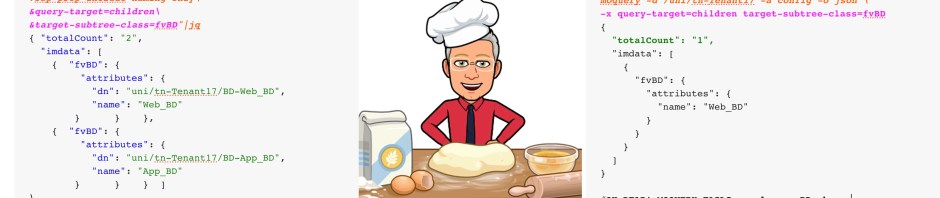
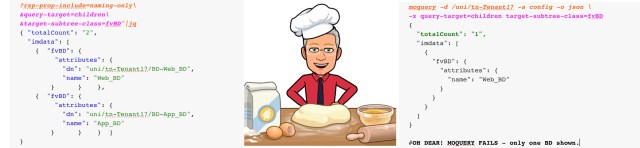
That’s a pretty useful query. But moquery supports a -x option, which allows the use of exactly the same API options as above – i.e. query-target=children and target-subtree-class=fvBD – and what’s more, you don’t need to put those pesky & symbols between the options.
moquery
apic1# T=Tenant17 ;# Substitute your own tenant name
apic1# moquery -d /uni/tn-Tenant17 -a config -o json \
-x query-target=children target-subtree-class=fvBD
{
  "totalCount": "1",
  "imdata": [
    {
      "fvBD": {
        "attributes": {
          "name": "Web_BD"
        }
      }
    }
  ]
}
OH DEAR! MOQUERY FAILS – only one BD shown.
This is the frustrating bug that I discovered back in 2020, and renders moquery useless and totally unreliable when using the -x options when querying a dn
Round #3 clearly goes to icurl
Round #4 – query of a class with options
One way I could get around the problem above is to query the class rather than the dn, then put a filter on the dn. moquery has two options for applying filters, a simple -f or –filter option, or the same method as icurl using the -x option, which is a little more complicated.
So lets get a listing all the bridge domains for a tenant using this method. First, icurl works as expected.
icurl + jq
apic1# bash
T17@apic1:~> T=Tenant17 ;# Substitute your own tenant name
T17@apic1:~> icurl -s "http://localhost/api/node/class/fvBD.json\
?rsp-prop-include=naming-only\
&query-target-filter=wcard(fvBD.dn,\"uni/tn-${T}\")"|jq
{
  "totalCount": "2",
  "imdata": [
    {
       "fvBD": {
         "attributes": {
           "dn": "uni/tn-Tenant17/BD-Web_BD",
           "name": "Web_BD"
        }
      }
    },
    {
       "fvBD": {
         "attributes": {
           "dn": "uni/tn-Tenant17/BD-App_BD",
           "name": "App_BD"
        }
      }
    }
  ]
}
No surprise there, but moquery has an even simpler method of applying a filter, although note that the filter requires a period between the package name and the class name – i.e. fv.BD.dn rather than fvBD.dn
moquery using -f
apic1# moquery -c fvBD -a config -o json \
-f "fv.BD.dn*\"uni/tn-${T}\""
{
  "totalCount": "2",
  "imdata": [
    {
      "fvBD": {
        "attributes": {
          "name": "Web_BD"
        }
      }
    },
    {
      "fvBD": {
        "attributes": {
          "name": "App_BD"
        }
      }
    }
  ]
}
Just as good as the icurl example. Let’s use the same filter as icurl via the -x option.
moquery using -x
apic1# moquery -c fvBD -a config -o json \
-x "query-target-filter=wcard(fvBD.dn,\"uni/tn-${T}\")"
{
  "totalCount": "2",
  "imdata": [
    {
      "fvBD": {
        "attributes": {
          "name": "Web_BD"
        }
      }
    },
    {
      "fvBD": {
        "attributes": {
          "name": "App_BD"
        }
      }
    }
  ]
}
So far, nothing to separate the two really. But I’m not done yet.
The following icurl query gives me a list of all the EPGs for a tenant, along with the contracts they provide and consume. EPGs that do not either provide or consume a contract are excluded. (Remove the rsp-subtree-include=required sections if you want all EPGs)
To be fair, I’ll mention that this is NOT the most efficient way to pose this query – I’ll get back to that later.
icurl + jq
T17@apic1:~> T=Tenant17
T17@apic1:~> icurl -s "http://localhost/api/node/class/\
fvAEPg.json?\
rsp-prop-include=naming-only\
&query-target=subtree\
&target-subtree-class=fvAEPg\
&order-by=fvAEPg.dn\
&query-target-filter=wcard(fvAEPg.dn,\"tn-${T}\")\
&rsp-subtree=children\
&rsp-subtree-class=fvRsCons\
&rsp-subtree-include=required\
&rsp-subtree-class=fvRsProv\
&rsp-subtree-include=required" | jq
Show result
{
  "totalCount":  "4",
  "imdata": [
    {
      "fvAEPg": {
        "attributes": {
          "dn":  "uni/tn-Tenant17/ap-2Tier_AP/epg-AppServers_EPG",
          "name":  "AppServers_EPG"
        },
        "children": [
          {
            "fvRsCons": {
              "attributes": {
                "tnVzBrCPName":  "Any.IP_Ct"
              }
            }
          }
        ]
      }
    },
      "fvAEPg": {
        "attributes": {
          "dn":  "uni/tn-Tenant17/ap-3Tier_AP/epg-AppServers_EPG",
          "name":  "AppServers_EPG"
        },
        "children": [
          {
            "fvRsProv": {
              "attributes": {
                "tnVzBrCPName":  "AppServices_Ct"
              }
            }
          },
          {
            "fvRsProv": {
              "attributes": {
                "tnVzBrCPName":  "MgmtServices_Ct"
              }
            }
          },
          {
            "fvRsCons": {
              "attributes": {
                "tnVzBrCPName":  "DBServices_Ct"
              }
            }
          },
          {
            "fvRsCons": {
              "attributes": {
                "tnVzBrCPName":  "MgmtServices_Ct"
              }
            }
          }
        ]
      }
    },
    {
      "fvAEPg": {
        "attributes": {
          "dn":  "uni/tn-Tenant17/ap-3Tier_AP/epg-DBServers_EPG",
          "name":  "DBServers_EPG"
        },
        "children": [
          {
            "fvRsProv": {
              "attributes": {
                "tnVzBrCPName":  "DBServices_Ct"
              }
            }
          }
        ]
      }
    },
    {
      "fvAEPg": {
        "attributes": {
          "dn":  "uni/tn-Tenant17/ap-3Tier_AP/epg-WebServers_EPG",
          "name":  "WebServers_EPG"
        },
        "children": [
          {
            "fvRsProv": {
              "attributes": {
                "tnVzBrCPName":  "MgmtServices_Ct"
              }
            }
          },
          {
            "fvRsCons": {
              "attributes": {
                "tnVzBrCPName":  "MgmtServices_Ct"
              }
            }
          },
          {
            "fvRsCons": {
              "attributes": {
                "tnVzBrCPName":  "AppServices_Ct"
              }
            }
          }
        ]
      }
    }
  ]
}
Note that there are four EPGs for this tenant – three of them in the 3Tier_AP application profile, and one in the 2Tier_AP application profile – this EPG consuming the Any.IP_Ct contract.
Now let’s run exactly the same query using moquery
moquery using -x
apic1# moquery -c fvAEPg -o json \
-x "query-target=subtree \
target-subtree-class=fvAEPg \
order-by=fvAEPg.dn \
query-target-filter=wcard(fvAEPg.dn,\"uni/tn-${T}\") \
rsp-subtree=children \
rsp-subtree-class=fvRsCons \
rsp-subtree-include=required \
rsp-subtree-class=fvRsProv \
rsp-subtree-include=required" |
egrep "{|}|: \[|\]$|totalCount\":|name\":|tnVzBrCPName\":"
Show result
{
  "totalCount": "3",
  "imdata": [
    {
      "fvAEPg": {
        "attributes": {
          "name": "AppServers_EPG"
        },
        "children": [
          {
            "fvRsProv": {
              "attributes": {
                "tnVzBrCPName": "AppServices_Ct"
              }
            }
          },
          {
            "fvRsProv": {
              "attributes": {
                "tnVzBrCPName": "MgmtServices_Ct"
              }
            }
          }
        ]
      }
    },
    {
      "fvAEPg": {
        "attributes": {
          "name": "DBServers_EPG"
        },
        "children": [
          {
            "fvRsProv": {
              "attributes": {
                "tnVzBrCPName": "DBServices_Ct"
              }
            }
          }
        ]
      }
    },
    {
      "fvAEPg": {
        "attributes": {
          "name": "WebServers_EPG"
        },
        "children": [
          {
            "fvRsProv": {
              "attributes": {
                "tnVzBrCPName": "MgmtServices_Ct"
              }
            }
          }
        ]
      }
    }
  ]
}
Did you notice that only 3 EPGs are shown? But worse than that, only provided contracts (fvRsProv) are listed. No consumed (fvrsCons) entries show at all in the moquery output. And the EPG from the 2Tier_AP application profile that consumes the Any.IP_Ct contract has disappeared!
ANOTHER FAIL for moquery. But I am being a little harsh. A more efficient way to put the moquery using -x query above would be using a single rsp-subtree-class option, like this:
apic1# moquery -c fvAEPg -o json \
-x "query-target=subtree \
target-subtree-class=fvAEPg \
order-by=fvAEPg.dn \
query-target-filter=wcard(fvAEPg.dn,\"uni/tn-${T}\") \
rsp-subtree=children \
rsp-subtree-class=fvRsCons,fvRsProv \
rsp-subtree-include=required" |
egrep "{|}|: \[|\]$|totalCount\":|dn\":|name\":|tnVzBrCPName\":"
Show result
{
  "totalCount": "4",
  "imdata": [
    {
      "fvAEPg": {
        "attributes": {
          "dn": "uni/tn-Tenant17/ap-2Tier_AP/epg-AppServers_EPG",
          "name": "AppServers_EPG",
        },
        "children": [
          {
            "fvRsCons": {
              "attributes": {
                "dn": "uni/tn-Tenant17/ap-2Tier_AP/epg-AppServers_EPG/rscons-Any.IP_Ct",
                "tnVzBrCPName": "Any.IP_Ct",
              }
            }
          }
        ]
      }
    },
    {
      "fvAEPg": {
        "attributes": {
          "dn": "uni/tn-Tenant17/ap-3Tier_AP/epg-AppServers_EPG",
          "name": "AppServers_EPG",
        },
        "children": [
          {
            "fvRsProv": {
              "attributes": {
                "dn": "uni/tn-Tenant17/ap-3Tier_AP/epg-AppServers_EPG/rsprov-AppServices_Ct",
                "tnVzBrCPName": "AppServices_Ct",
              }
            }
          },
          {
            "fvRsProv": {
              "attributes": {
                "dn": "uni/tn-Tenant17/ap-3Tier_AP/epg-AppServers_EPG/rsprov-MgmtServices_Ct",
                "tnVzBrCPName": "MgmtServices_Ct",
              }
            }
          },
          {
            "fvRsCons": {
              "attributes": {
                "dn": "uni/tn-Tenant17/ap-3Tier_AP/epg-AppServers_EPG/rscons-DBServices_Ct",
                "tnVzBrCPName": "DBServices_Ct",
              }
            }
          },
          {
            "fvRsCons": {
              "attributes": {
                "dn": "uni/tn-Tenant17/ap-3Tier_AP/epg-AppServers_EPG/rscons-MgmtServices_Ct",
                "tnVzBrCPName": "MgmtServices_Ct",
              }
            }
          }
        ]
      }
    },
    {
      "fvAEPg": {
        "attributes": {
          "dn": "uni/tn-Tenant17/ap-3Tier_AP/epg-DBServers_EPG",
          "name": "DBServers_EPG",
        },
        "children": [
          {
            "fvRsProv": {
              "attributes": {
                "dn": "uni/tn-Tenant17/ap-3Tier_AP/epg-DBServers_EPG/rsprov-DBServices_Ct",
                "tnVzBrCPName": "DBServices_Ct",
              }
            }
          }
        ]
      }
    },
    {
      "fvAEPg": {
        "attributes": {
          "dn": "uni/tn-Tenant17/ap-3Tier_AP/epg-WebServers_EPG",
          "name": "WebServers_EPG",
        },
        "children": [
          {
            "fvRsProv": {
              "attributes": {
                "dn": "uni/tn-Tenant17/ap-3Tier_AP/epg-WebServers_EPG/rsprov-MgmtServices_Ct",
                "tnVzBrCPName": "MgmtServices_Ct",
              }
            }
          },
          {
            "fvRsCons": {
              "attributes": {
                "dn": "uni/tn-Tenant17/ap-3Tier_AP/epg-WebServers_EPG/rscons-MgmtServices_Ct",
                "tnVzBrCPName": "MgmtServices_Ct",
              }
            }
          },
          {
            "fvRsCons": {
              "attributes": {
                "dn": "uni/tn-Tenant17/ap-3Tier_AP/epg-WebServers_EPG/rscons-AppServices_Ct",
                "tnVzBrCPName": "AppServices_Ct",
              }
            }
          }
        ]
      }
    }
  ]
}
As you can see, with a little help from egrep, this output is as good as the icurl output. So perhaps I’m a little hard on moquery by giving Round #4 to icurl, but the fact that there is a series of options that work with icurl but not with moquery needs to count for something.
Round #5 – Conceptual clarity
The Cisco APIC API allows for queries on a distinguished name or an object class. That’s it. One or the other dn or class. If you query a class, you may add a filter based on a dn,
One of the things that confused me for some time with moquery is that fact that you can use both the -d (distinguished name) and the -c (class) options in the same query. Like this: (I’ve added the -o and -a options to reduce output)
apic1# T=Tenant17
apic1# moquery -d /uni/tn-${T} -c fvSubnet -o json -a config
Show result
{
  "totalCount": "2",
  "imdata": [
    {
      "fvSubnet": {
        "attributes": {
          "ip": "10.217.12.1/24"
        }
      }
    },
    {
      "fvSubnet": {
        "attributes": {
          "ip": "10.217.11.1/24"
        }
      }
    }
  ]
}
So this leaves me confused. Did I query a dn or a class? To get the same result using icurl, I could either use: (I’ve only added the rsp-prop-include=naming-only to reduce the output)
T17@apic1:~> T=Tenant17
T17@apic1:~> icurl -s "http://localhost/api/node/class/\
fvSubnet.json?\
query-target-filter=wcard(fvSubnet.dn,\"uni/tn-${T}\")&\
rsp-prop-include=naming-only" | jq
or
T17@apic1:~> T=Tenant17
T17@apic1:~> icurl -s "http://localhost/api/node/mo/\
uni/tn-${T}.json?\
query-target=subtree&\
target-subtree-class=fvSubnet&\
rsp-prop-include=naming-only" | jq
Show result for both the above – it’s identical for both commands
{
  "totalCount": "2",
  "imdata": [
    {
      "fvSubnet": {
        "attributes": {
          "dn": "uni/tn-Tenant17/BD-Web_BD/subnet-[10.217.12.1/24]",
          "ip": "10.217.12.1/24"
        }
      }
    },
    {
      "fvSubnet": {
        "attributes": {
          "dn": "uni/tn-Tenant17/BD-App_BD/subnet-[10.217.11.1/24]",
          "ip": "10.217.11.1/24"
        }
      }
    }
  ]
}
So back to my original question, about using moquery to query both a dn and a class – Do I query a dn or a class?
Well, it turns out that the way moquery handles it when you query both is that it queries the dn – so the command:
moquery -d /uni/tn-${T} -c fvSubnet
gets translated internally to:
icurl "http://127.0.0.1:7777/api//mo//uni/tn-Tenant17.xml?
query-target=subtree&target-subtree-class=fvSubnet"
which is essentially the same as as my 2nd icurl example.
So is icurl better because to forces you to query either a dn or a class, which is one of the most fundamental concepts you need to know when trying to learn the API, or is moquery better because of its much simpler syntax?
For me, I know moquery did cause me quite a bit of confusion when I first started out, but now I understand what it does, I kind of like the simpler commands.
I can’t make up my mind on this one, I’ll let you choose your own verdict.
Conclusion: I love icurl even more
The much simpler command line structure of moquery is its big advantage, plus the fact that you don’t normally have to grapple with ? and & characters which require some careful quoting sequences when using icurl.
But reliability is the key thing. I can’t risk running a query that is structurally correct and getting a wrong result. After these tests, I’ve come to realise that moquery is too unreliable for anything more sophisticated than querying classes, and even then, it’s probably best to avoid using -x options.
I find this result somewhat surprising, because behind the scenes, moquery uses icurl to extract the information it displays anyway.
Can icurl be made simpler?
If you manage a small number of sites, there are a couple of bash variables you could set at the start of each ssh session that can reduce the burden of memorising
icurl -s http://localhost/api/node/class/ or
icurl -s http://localhost/api/node/mo/
I have the following 3 lines saved in a file (called myvars.txt) on each APIC that I access, and at the start of each bash session, I cat this file then paste the contents into the session.
T17@apic1:~> cat myvars.txt
TMOUT=0 ;# This stops my session timing out
mo='icurl -s http://localhost/api/node/mo'
class='icurl -s http://localhost/api/node/class'
I now have two bash variables ($mo and $class) that I can use to issue commands, like this:
T17@apic1:~> $mo/uni/tn-Tenant17.json ;# or
T17@apic1:~> $class/fvTenant.json
But of course, one day you’ll be accessing a different APIC or for some other reason, you’ll have to remember the URL – so probably you are better off just memorising it!
RedNectar

 RedNectar's Blog